A data centre is a building or a room purpose-built to keep computing equipment running without interruption. It is defined less by the servers inside it than by everything around them: a power path that survives a mains failure, a cooling system that removes every watt the equipment consumes, and a physical structure that lets both be maintained without switching the load off.
What a data centre actually contains
Strip away the marketing photographs and a data centre is four systems working together. There is the IT equipment, which is what the business actually pays for. There is the power chain that feeds it. There is the cooling that removes the heat that power turns into. And there is the physical envelope: the racks, the containment, the raised floor or overhead trays, and the access control.
The first system is the only one the business sees. The other three are why a data centre costs what it does, and they are where almost every outage originates.
The power chain, from the street to the server
Every data centre, from a two-rack communications room to a hyperscale hall, runs the same sequence of stages. The scale changes; the sequence does not.
Utility
mains supply
ATS
source transfer
UPS
ride-through
PDU
rack distribution
Servers
the load
The utility supply arrives at a main distribution board. An automatic transfer switch watches that supply and moves the load to a generator when it fails. A generator takes several seconds to start and accept load, so an uninterruptible power supply bridges that gap and, while the mains is healthy, cleans the voltage that reaches the equipment. Inside the cabinet, a rack PDU distributes the conditioned supply to individual outlets.
Each stage exists because the one after it cannot tolerate what the one before it does. That is the whole logic of the chain, and it is why removing any single stage to save money tends to be expensive later.
The rack is the unit of measurement
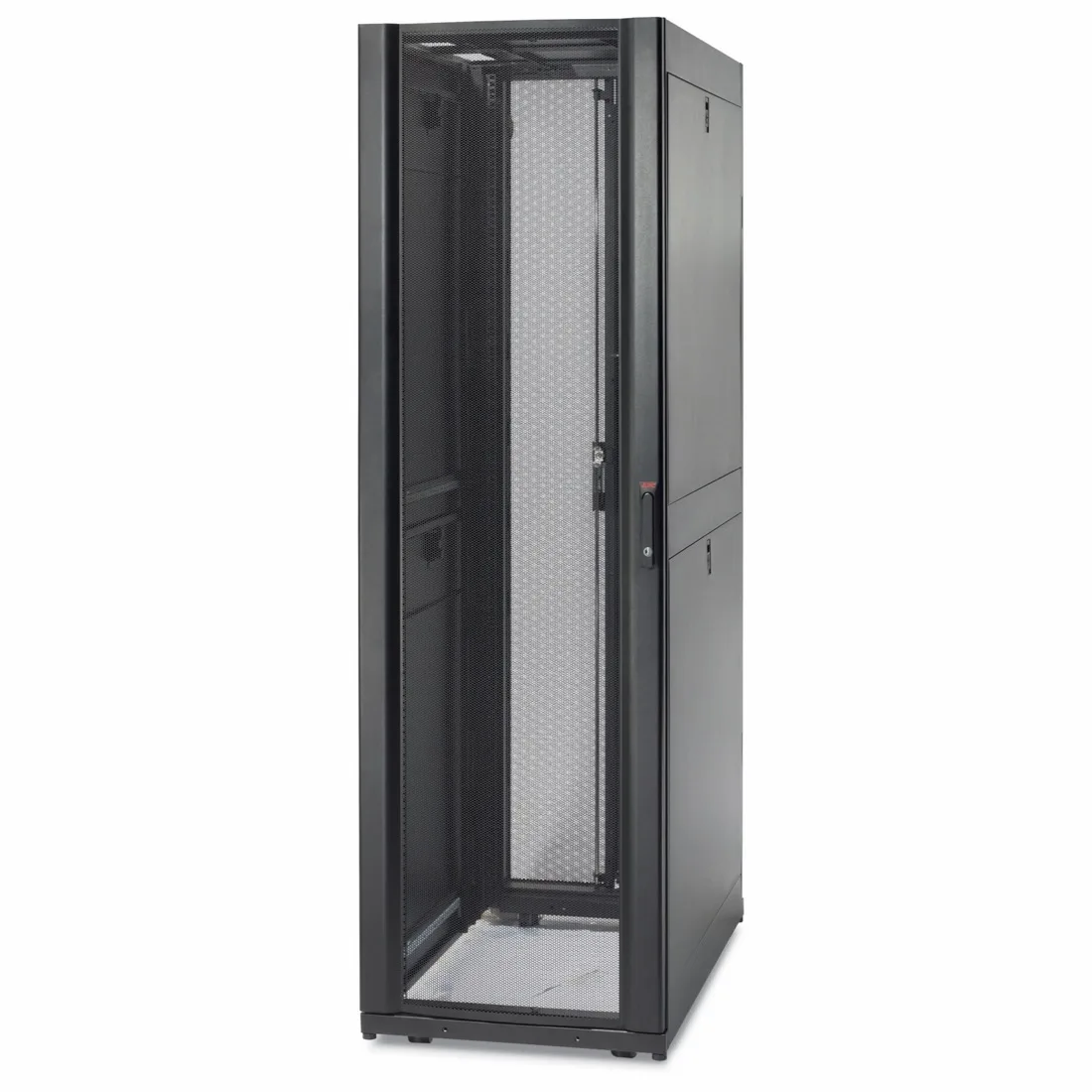
Data centres are planned per rack rather than per server. A 19-inch cabinet is measured in rack units of 1.75 inches, written U, and is typically 42U or 47U, such as our NetShelter SX range, in a data hall. Capacity planning, power provisioning and cooling design all resolve to a figure per cabinet.
That figure is the number that matters most in the whole design:
| Rack type | Typical power per rack | What that implies |
|---|---|---|
| Communications or branch rack | 1 kW to 3 kW | Room air conditioning is enough |
| Standard enterprise rack | 3 kW to 7 kW | Raised floor or in-row cooling, blanking panels required |
| Dense virtualisation rack | 10 kW to 15 kW | Aisle containment stops being optional |
| AI or HPC rack | Well above 15 kW | Rear-door heat exchangers, then liquid cooling |
Cooling: every watt in is a watt out
Electrical energy delivered to IT equipment leaves it as heat, almost all of it. A rack drawing 10 kW is a 10 kW heater, and the cooling system has to remove that continuously. This is why power and cooling are never designed separately, and why a room that can feed 15 kW per rack but only remove 7 kW is not a 15 kW room.
The practical progression is straightforward. Up to roughly 5 kW per rack, conventional room cooling works. Between 5 kW and 15 kW, hot or cold aisle containment becomes necessary, because without it the hot exhaust simply circulates back to the front of the cabinet and the cooling capacity is wasted fighting itself. Above that, cooling moves closer to the heat source: in-row units, then rear-door heat exchangers, then direct liquid cooling.
Redundancy in plain terms
Data centre availability is usually described with tier classifications, but the underlying idea is simpler than the labels suggest. It comes down to how many things can fail before the load drops:
- N means exactly enough capacity and no spare. Anything that fails takes the load with it.
- N+1 means one spare unit. A single UPS module, chiller or generator can fail or go into maintenance and the load stays up.
- 2N means two complete independent paths. Each path can carry the whole load on its own.
Higher redundancy costs money in equipment and in the space and cooling that equipment needs. The right level is a commercial decision driven by what an hour of downtime actually costs the business, not by which tier sounds most impressive.
Dual-corded equipment and why it matters
Most enterprise servers and storage arrays have two power supplies and expect two independent feeds. That arrangement only delivers what it promises if the two feeds are genuinely separate all the way upstream. Two rack PDUs fed from the same breaker or the same UPS give you two cables and one point of failure.
Equipment that has only one power inlet, and there is always some, is handled with a rack-level automatic transfer switch that takes two feeds and presents one outlet. It transfers in milliseconds, fast enough that the connected device never notices.
Edge, enterprise, colocation and hyperscale
The term data centre covers facilities that differ by three orders of magnitude. An edge site might be a single cabinet in a branch office with a small UPS and no generator. An enterprise room is a dedicated space with tens of racks, three-phase UPS and a generator. A colocation facility rents cabinet space to multiple customers and therefore has to solve compartmentalisation and per-customer metering. A hyperscale campus is a purpose-built building measured in megawatts.
What is worth noticing is that the same equipment categories appear at every scale. Only the capacity changes. A branch office and a colocation hall both need transfer switching, ride-through power, rack distribution and cabinets; one needs 3 kVA of it and the other needs 3 MW.
What this means when you are buying
If you are specifying equipment for a room rather than designing the room itself, the useful sequence is: settle the power per rack, then the number of racks, then the redundancy level, then the runtime. Those four numbers determine almost every other decision, including which UPS class, which cabinet depth and which PDU rating you end up buying.
They are also, in our experience, the four numbers most quote requests leave out. Sending them with the enquiry is the single fastest way to get a quote that is actually comparable to another supplier’s.
Need a quote on this?
Send the load, the capacity and the delivery country. A priced quote comes back within 48 hours.
Request a Quote