A server rack PDU is a power distribution unit mounted inside or alongside a server rack that distributes utility or UPS-backed power to the servers, switches, and storage devices housed within that rack. It acts as the connection point between upstream power sources and individual IT equipment, offering multiple outlets, circuit protection, and in many models remote monitoring. Choosing the right rack PDU affects uptime, cable management, and the ability to track power consumption at the rack level. This article explains what a server rack PDU does, how it fits into a data center power chain, and what to consider when selecting, installing, and maintaining one.
What Is a Server Rack PDU
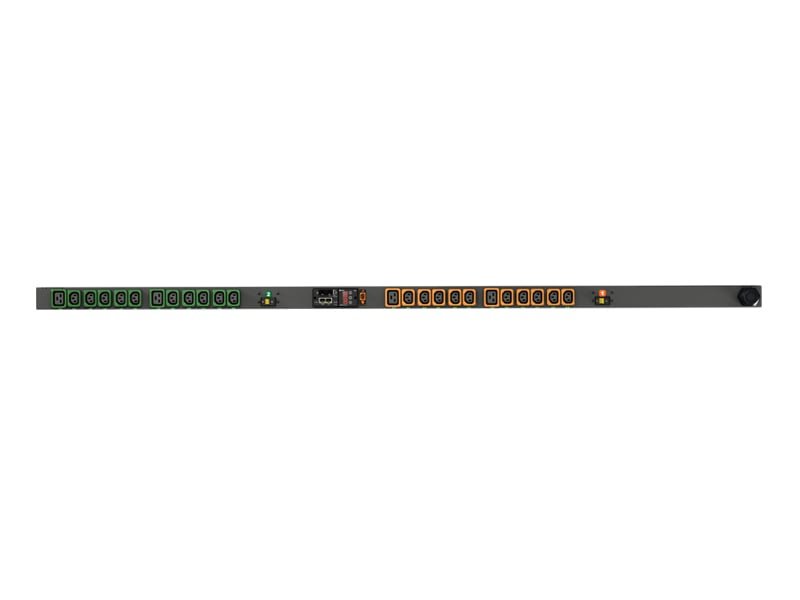
A server rack PDU is essentially a specialized power strip engineered for the demands of data center equipment rather than general office use. It typically mounts vertically in the rear of a rack (0U) or horizontally in a rack unit slot (1U or 2U), providing a row of outlets that IT equipment plugs into directly. Unlike a basic surge-protected strip, a server rack PDU is built to handle continuous loads, higher outlet density, and in many cases network connectivity for remote management. Some units are purely basic, offering only outlets and overcurrent protection, while others add metering, switching, or environmental sensor ports. The common thread across all types is that they exist to safely and efficiently deliver power from an upstream source, such as a UPS or ATS, to the devices mounted in the rack.
How a Server Rack PDU Works
At its core, a rack PDU receives input power through a single cord or hardwired connection and splits that power across multiple outlets feeding individual devices. Basic models simply distribute power with circuit breakers for protection, while metered models add current and voltage sensors so administrators can see load levels. Monitored and switched PDUs go further, using an onboard network interface so staff can view real-time power draw remotely or even power-cycle individual outlets without walking to the rack. This remote switching capability is particularly useful for rebooting unresponsive servers or network gear without a physical visit, especially in colocation or remote site environments. The internal circuitry also typically includes breakers or fuses on groups of outlets, so a fault on one circuit does not take down the entire rack.
When and Where It Is Used
Server rack PDUs are used anywhere IT equipment is mounted in a standard rack, including enterprise data centers, colocation facilities, network closets, and edge computing sites. They are a standard component whenever multiple rack-mounted devices need organized, protected power delivery rather than loose extension cords. In dense environments running many servers, switches, and storage arrays, PDUs allow for dual power feeds so each device can draw from two independent sources for redundancy. Smaller IT closets or branch office racks still benefit from a basic rack PDU, even without advanced monitoring, simply for organized and protected outlet distribution. Any facility concerned with uptime, from a small server room to a hyperscale data hall, will include rack PDUs as a foundational layer of its power architecture.
Selection Criteria for a Rack PDU
Selecting the right server rack PDU starts with matching input voltage, phase, and plug type to the facility’s power infrastructure. Outlet count and type matter too, since mixed environments often need a combination of standard and locking receptacles to prevent accidental disconnects. Administrators should also decide whether basic, metered, monitored, or switched functionality is needed based on how much visibility and remote control the operation requires. Mounting orientation (vertical 0U versus horizontal rackmount) should fit the physical rack layout and cable routing plan. Finally, redundancy requirements, such as dual-feed configurations paired with an ATS or dual-corded servers, should guide whether one or two PDUs per rack are necessary.
Technical Specifications to Review
Key specifications to review include input voltage and current rating, number and type of outlets, and whether the unit is single-phase or three-phase. Physical form factor, such as 0U vertical or 1U/2U horizontal, determines how it fits within the rack’s available space. Circuit breaker configuration indicates how outlets are grouped and protected, which affects fault isolation. For monitored or switched units, network interface type and supported management protocols determine how the PDU integrates with existing monitoring software. Always confirm these specification details against the manufacturer’s documentation for the specific unit being considered, since values vary widely between models and series.
Installation and Field Notes
During installation, rack PDUs are typically secured using mounting brackets or toolless clips designed for standard rack rail spacing. Cable management is a practical concern in the field, since vertical PDUs placed in the rear of the rack need enough clearance for power cords to route cleanly without blocking airflow. Technicians commonly label each outlet and corresponding device to simplify troubleshooting later, which saves significant time during incident response. When installing dual-feed setups, it is important to verify that each power cord is actually connected to a separate upstream source rather than both running back to the same circuit by mistake. Testing outlet function and, where applicable, remote network access before placing the rack into production helps catch configuration issues early.
Common Mistakes to Avoid
One frequent mistake is overloading a single PDU or circuit by plugging in more devices than the rated capacity supports, which risks nuisance trips or overheating. Another is neglecting redundancy planning, where both power cords of a dual-corded server end up connected to the same PDU, defeating the purpose of redundant power paths. Poor cable management around rear-mounted PDUs can also block airflow and contribute to hot spots inside the rack. Some teams overlook firmware updates on networked PDUs, leaving monitoring or remote switching features less secure or reliable over time. Finally, failing to document outlet assignments makes future maintenance and troubleshooting slower and more error-prone for whoever inherits the rack.
Maintenance Best Practices
Routine maintenance for a server rack PDU includes periodic visual inspection for damaged cords, loose connections, or signs of overheating around outlets. For monitored units, reviewing logged power data helps identify unusual consumption trends before they become capacity problems. Firmware on networked PDUs should be kept current to maintain compatibility with monitoring platforms and to address any known security advisories. It is also good practice to re-verify labeling after any rack changes, since equipment moves or swaps can leave outdated outlet labels that cause confusion during emergencies. Scheduling these checks alongside broader rack and power infrastructure audits keeps the PDU layer aligned with the rest of the data center’s maintenance program.
Cost and Budget Considerations
Budgeting for rack PDUs involves a tradeoff between upfront cost and the operational value of added features like metering, monitoring, or remote switching. A basic PDU costs less initially but offers no visibility into power consumption, which can make capacity planning and troubleshooting harder later. Metered and monitored units carry a higher price but can reduce labor costs over time by enabling remote diagnostics and reducing unnecessary site visits. Organizations with strict uptime requirements often find that the added cost of switched, dual-feed PDUs is justified by the reduction in downtime risk. The right balance depends on the criticality of the equipment in each rack and how much remote visibility the operations team actually needs.
A server rack PDU is a foundational piece of data center power infrastructure, bridging upstream power sources and the IT equipment that depends on clean, reliable distribution. Understanding the different types, from basic to switched models, along with proper selection, installation, and maintenance practices, helps ensure racks stay powered safely and predictably. For a closer look at available rack PDU options and specifications, visit DataCenterPort’s rack PDU page.
Need a quote on this?
Send the load, the capacity and the delivery country. A priced quote comes back within 48 hours.
Request a Quote